Improving Accessibility for Wikipedia's iOS Contributors
Overview 📖
The Wikipedia iOS app connects millions of users to the world's largest free knowledge base, powered by global volunteer contribution. With the introduction of Apple's Liquid Glass in iOS 26, the Wikimedia Foundation needed to understand it's impact on accessibility before the next app update.
A comprehensive accessibility audit of the onboarding and contribution journey was conducted using a pre-release build, evaluating the experience against WCAG 2.2 standards and iOS 26's built-in accessibility features. Critical barriers were uncovered across every flow tested, including inaccessible account creation, inoperable interactive elements, navigation breakdowns for VoiceOver and Switch Control users, and content that failed under common visual display settings.
From those findings, I developed a prioritized set of recommendations delivered to the Wikimedia Foundation team alongside a stakeholder presentation to guide remediation strategy in the upcoming app release.
Background 🔍
Liquid Glass arrived with a wave of accessibility issues
iOS 26 introduced Liquid Glass across the system UI, but its rapid rollout left many developers without adequate time to prepare. The design change brought notable accessibility concerns, including poor contrast from its transparent texture, animations that were distracting and lacked functional meaning, and the loss of useful interface conventions like breadcrumbing, comfortable spacing, and appropriately sized touch targets.
The Wikimedia Foundation needed to know how this affected their app
The Wikipedia app serves millions of users worldwide, with 60% accessing it on mobile. The Wikimedia Foundation is committed to ensuring that anyone, regardless of ability, can use the app and contribute to articles. With iOS 26 rolling out, they needed a comprehensive accessibility audit to identify barriers across two core journeys: onboarding, which includes tool tips and account creation, and article contribution, which includes edit suggestions, talk pages and watchlists.
PROBLEM STATEMENT
How does iOS 26 (Liquid Glass) affect accessibility across Wikipedia's onboarding and article contribution flows?
Audit Process 🔬
Two personas to represent a range of disabilities and assistive technologies
Due to limited time and resources, we weren't able to speak with real users with disabilities about their experience. Instead, extensive secondary research was conducted to build two personas, each representing a range of disabilities and the assistive technologies and display settings they would realistically use.
Rory Brookes, 25 — Dyslexia & Spinal Cord Injury
Rory is a casual Wikipedia contributor who relies on Voice Control and Switch Control for navigation and text-to-speech for reading. He needs predictable layouts, plain-language copy, and interactions that don't require fine motor input. Unexpected UI changes or vague labels cause him to abandon tasks entirely.
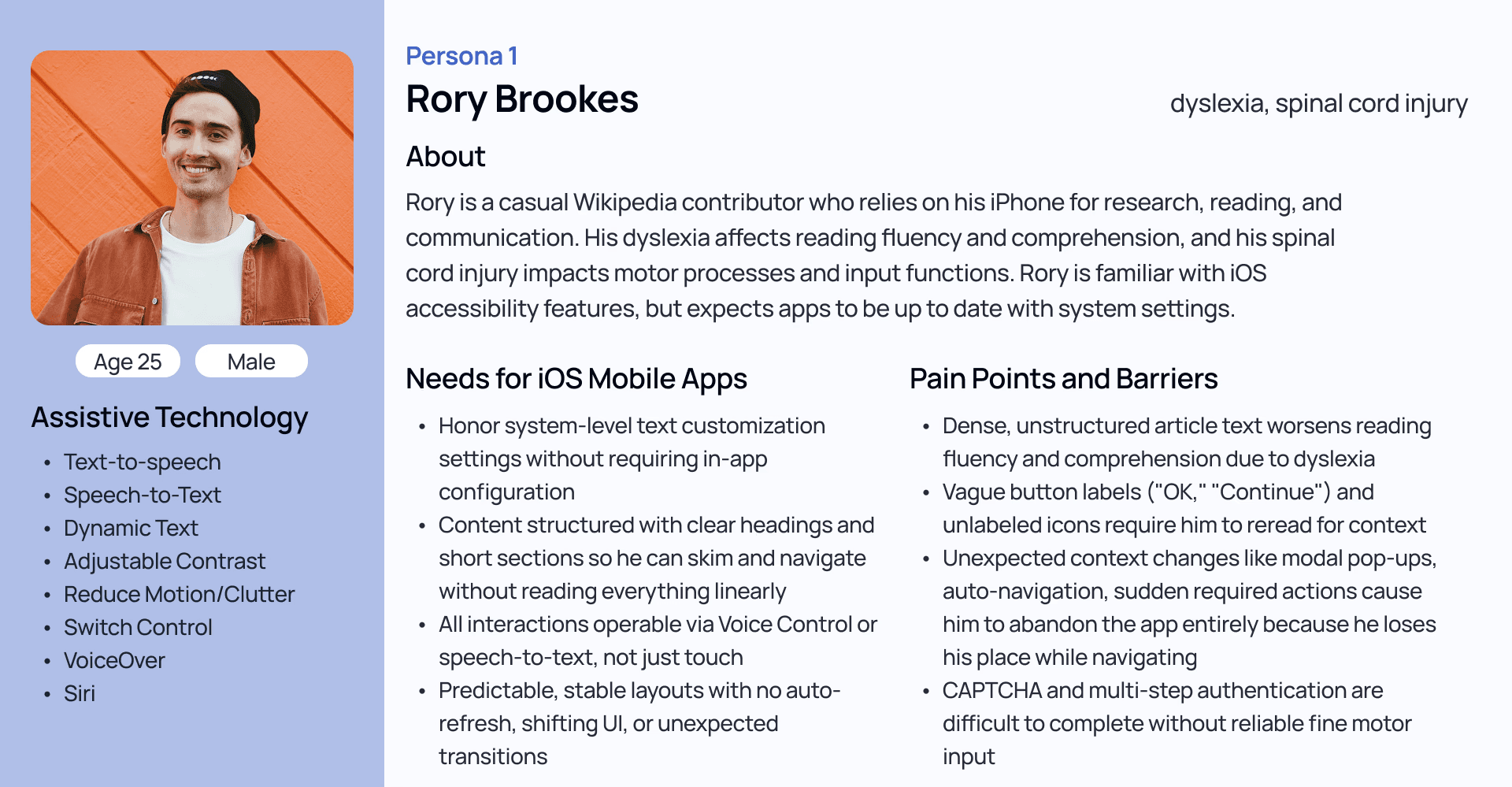
Persona 1: Rory Brookes, representing users with dyslexia and spinal cord injury.
Margaret Brown, 55 — Low Vision, Memory Delays, Hand Tremors
Margaret has used Wikipedia for years but finds contribution difficult. Her relapsing-remitting MS means her needs shift depending on symptom severity, from large text and high contrast on good days to VoiceOver and Switch Control during relapses. Small touch targets, animations, and multi-step flows are her biggest barriers.
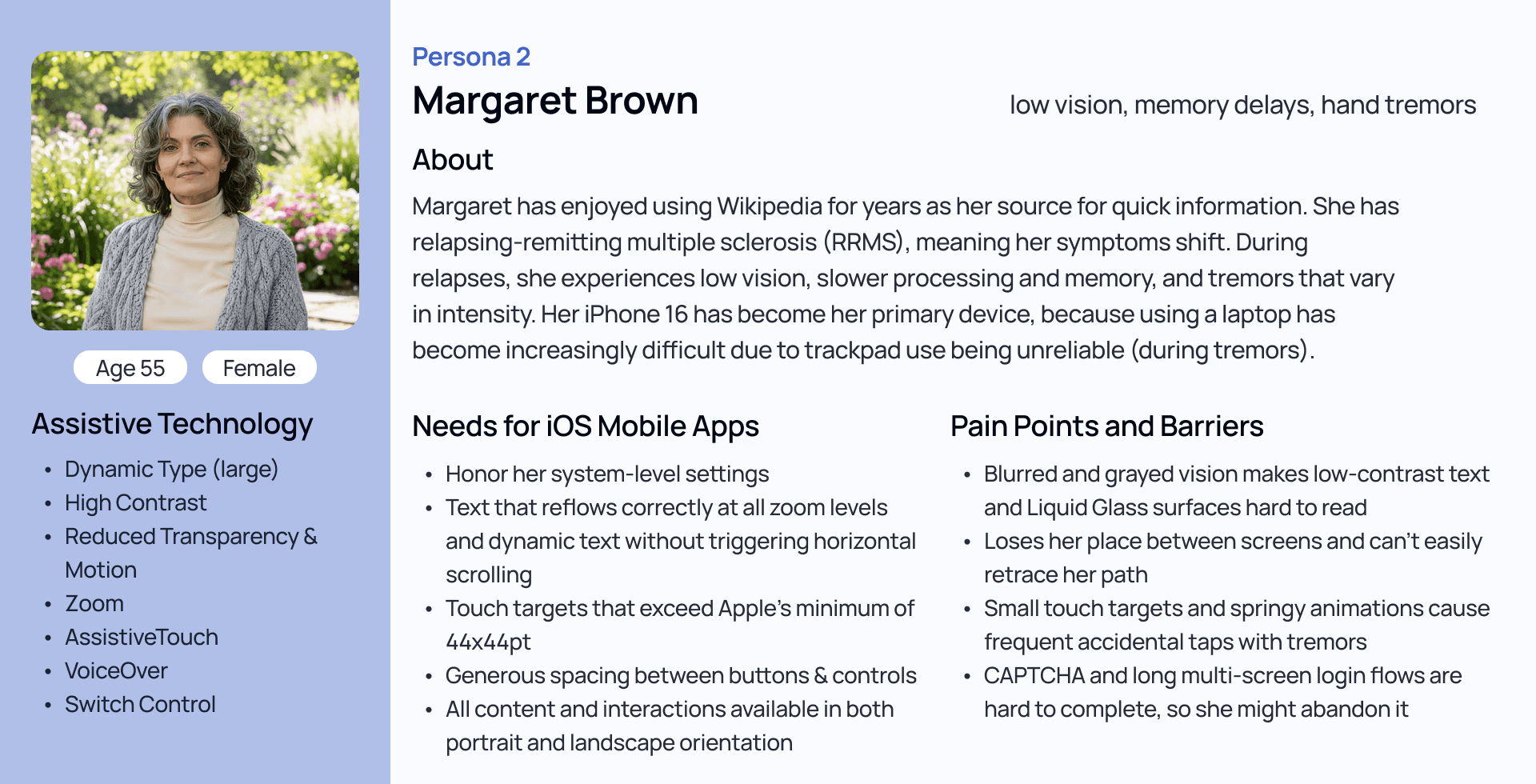
Persona 2: Margaret Brown, representing users with low vision, memory delays, and hand tremors.
Tested 38 WCAG 2.2 criteria across six flows using multiple assistive technologies and display settings
Using WCAG 2.2 alongside the beta version of the mobile WCAG, we selected 38 criteria across the four principles that were most relevant to our personas, their assistive technologies, and the scope of the audit. Criteria were divided across the team to evaluate all six flows.
Assistive Technologies
VoiceOver
Switch Control
Voice Control
Visual & Display Settings
Dynamic Type (Large Font)
Zoom
Orientation
Color Contrast Analysis
Touch Target Size Verification
Reduced Motion
Reduced Transparency
Every issue was prioritized by severity and paired with a recommendation
Every violation identified was assigned one of three priority tiers, with justification based on user impact, technical complexity, and available resources:
Tier 1 — Critical/Urgent: Issues that prevent access or violate WCAG Level A
Tier 2 — Important/Medium-Term Goal: Issues that create significant barriers or violate WCAG Level AA
Tier 3 — Enhancement/Long-Term Goal: Improvements that would benefit users over time
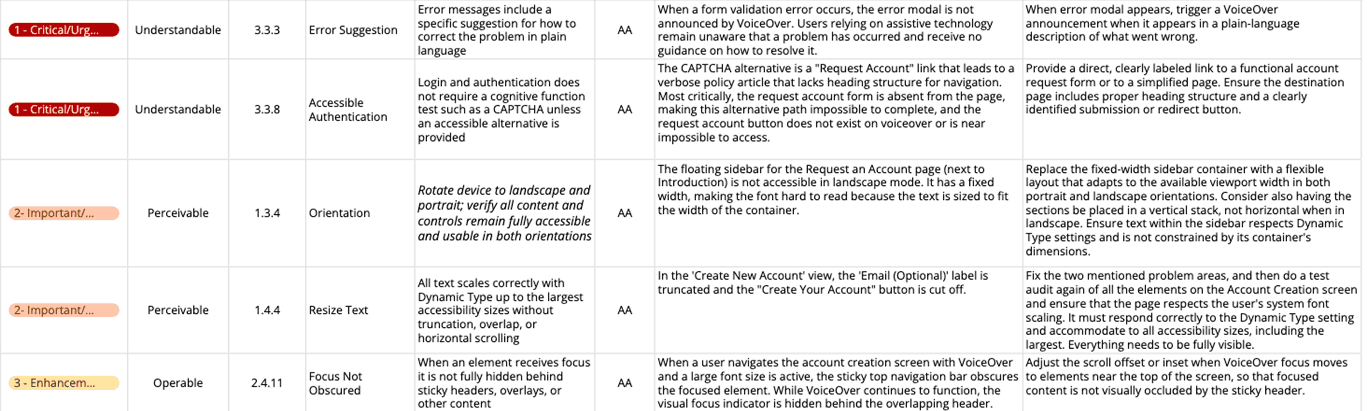
Priority list excerpt showing severity tiers, WCAG criteria, identified barriers, and recommendations.
Key Findings ⚠️
The audit uncovered 40+ violations across four critical themes, affecting users across every flow tested. Each theme is illustrated below with one representative finding.
FINDING 1
The account creation flow is inaccessible, even with a CAPTCHA alternative page.
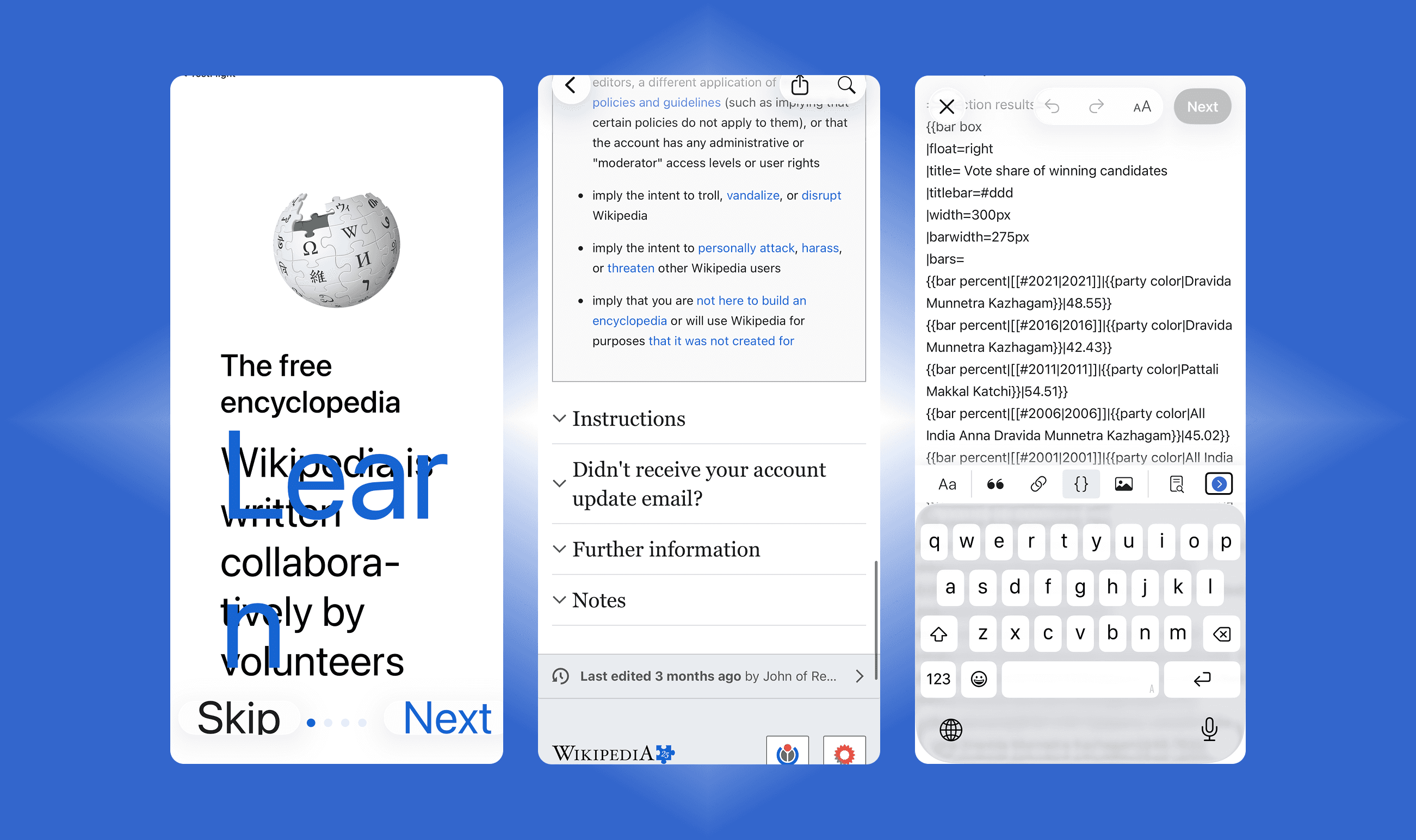
The account creation flow had the highest concentration of violations, with 8 critical issues. One example is the Request an Account page, which is the alternative route users who cannot complete CAPTCHAs go to to make an account. It appears visually structured, but its headings are not programmatically defined, meaning VoiceOver users cannot use rotor navigation to skip through sections on an extremely text-heavy page.
RECOMMENDATION
Define all visual headings as semantic heading elements in the code so rotor navigation reflects the page's visual structure.
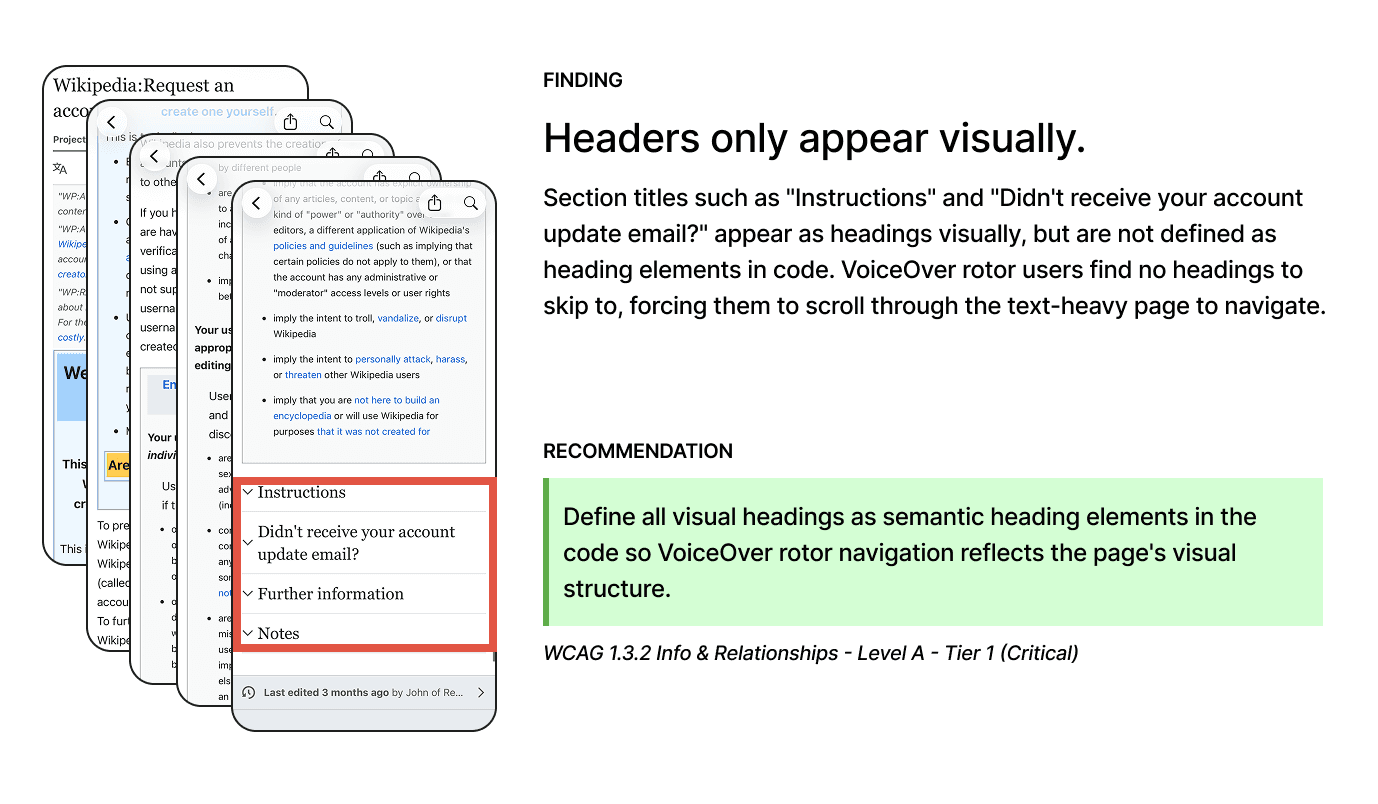
The Request an Account page shows visually styled section headings, including "Instructions" and "Didn't receive your account update email?", that are not defined as semantic heading elements in code. VoiceOver rotor finds no headings to navigate to, forcing users to scroll through the entire text-heavy page. WCAG 1.3.2 Info & Relationships, Level A, Tier 1.
FINDING 2
Many interactive elements are inoperable or difficult to use
Inoperable interactive elements appeared across onboarding, suggested edits, talk, and watchlist flows. The editing toolbar, for example had buttons that fall below the 24x24px minimum touch target size. For users with limited motor control, these buttons are difficult or impossible to activate and block access to core editing functions.
RECOMMENDATION
Increase all touch target hit areas to ideally 44x44px with consistent spacing in-between.
The WCAG minimum is 24x24px, but Apple recommends 44x44pt for iOS to ensure comfortable use for users with limited mobility.
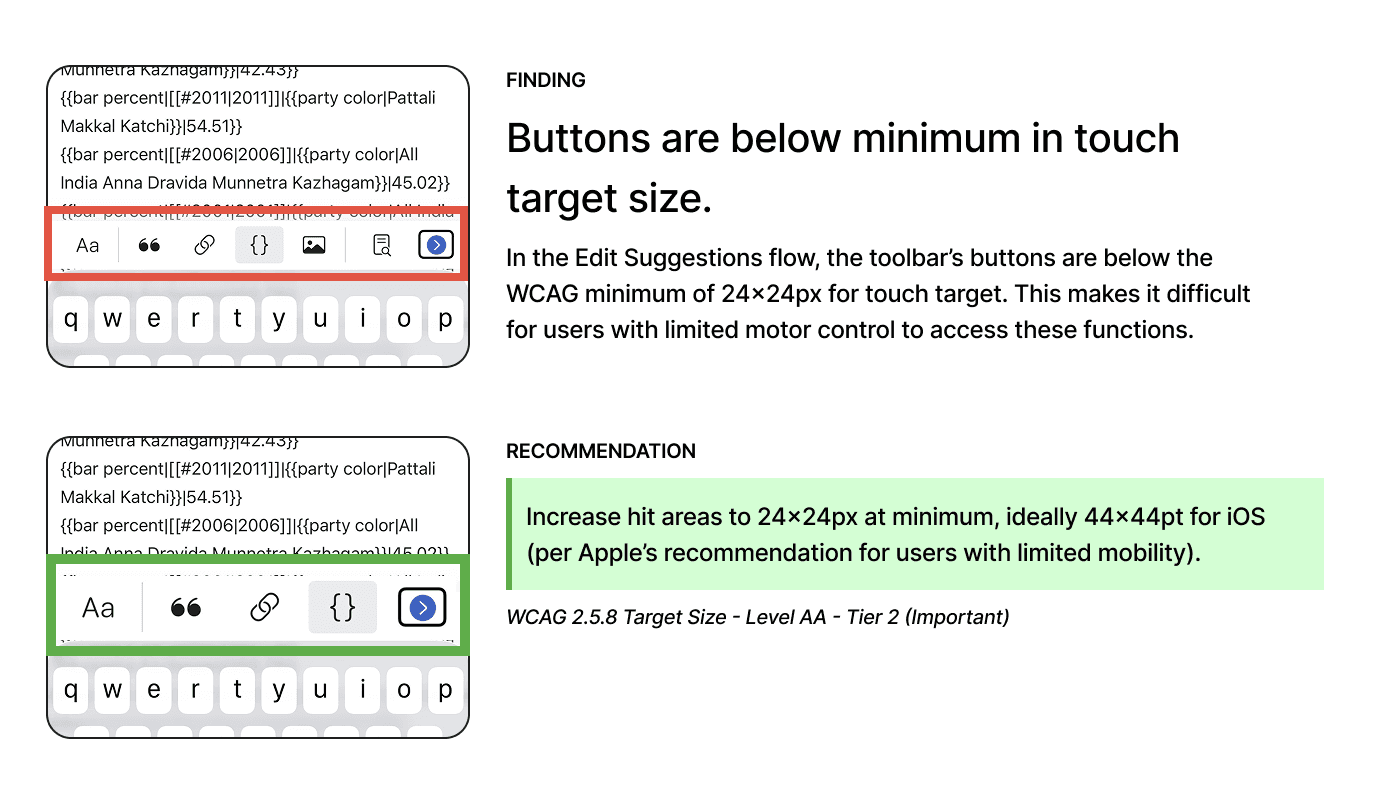
Editing toolbar in the Suggested Edits flow showing current button sizes below the 24x24px minimum (top) and the recommended size increase to meet WCAG 2.5.8 and Apple's recommended 44x44pt guideline for iOS (bottom).
FINDING 3
Navigation breaks down for VoiceOver and Switch Control users
Missing and inconsistent heading structure persisted across onboarding, editing, and watchlist flows. The article editing flow is an example of this pattern, where the focus order places the "Edit" button before the section heading it corresponds to. For VoiceOver and Switch Control users expect navigating sequentially, and in this current order they encounter an action before knowing what that action applies to.
RECOMMENDATION
Reorder focus so section headings are announced before their corresponding edit controls so users have the context they need
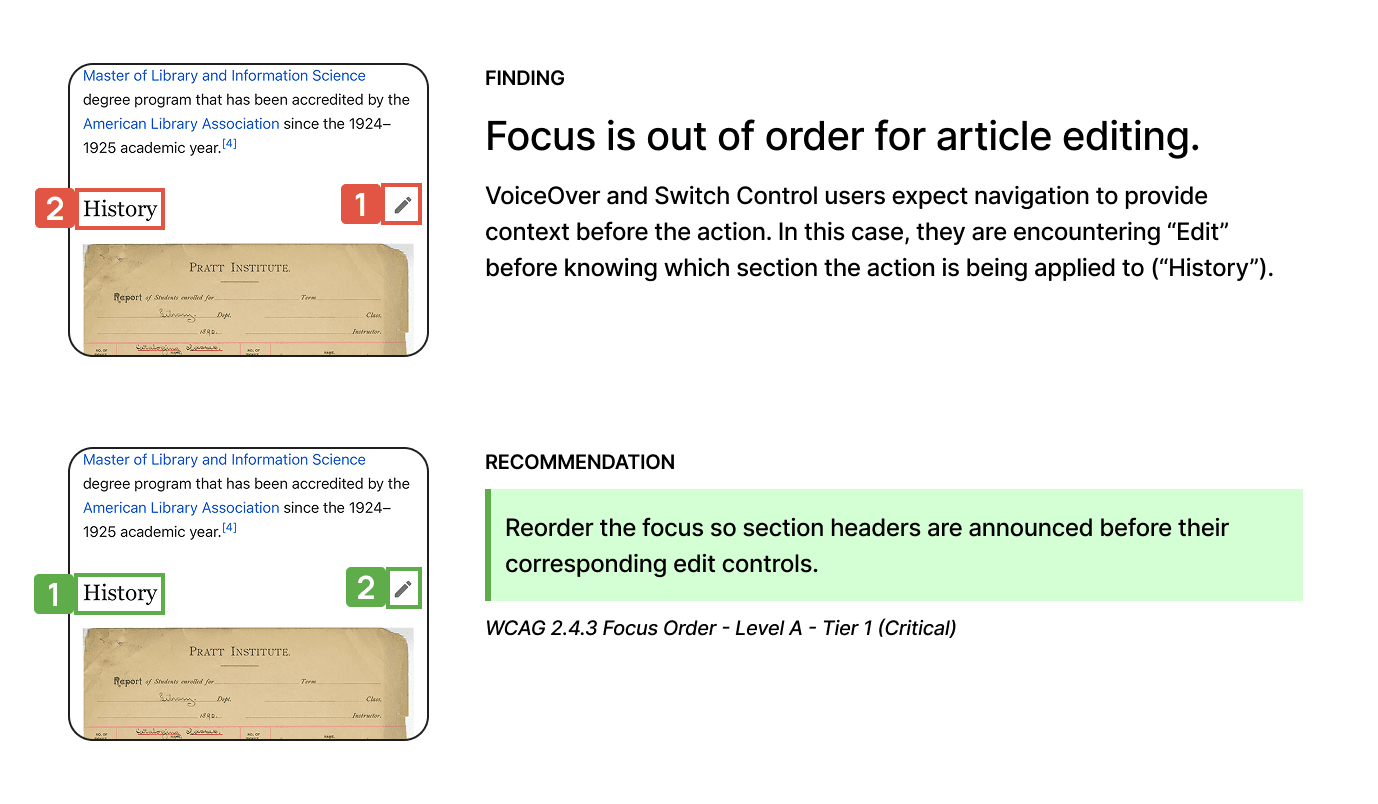
Suggested Edit flow showing current focus order (top), where the Edit control (1) is announced before the section heading "History" (2) and the recommended order (bottom), where the heading is announced first. WCAG 2.4.3 Focus Order, Level A, Tier 1.
FINDING 4
Finding 4: Many interactive elements are inoperable or difficult to use.
Visual accommodation issues affected every flow tested. One example is the onboarding screen, where enabling Dynamic Type at larger sizes causes links to overlap with body text and render at an outsized scale, disrupting the layout entirely. This is a setting many users with low vision rely on daily and the app should be able to reflow the information correctly.
RECOMMENDATION
Test all screens at the largest Dynamic Type sizes to ensure text and interface elements reflow correctly without overlap or truncation.
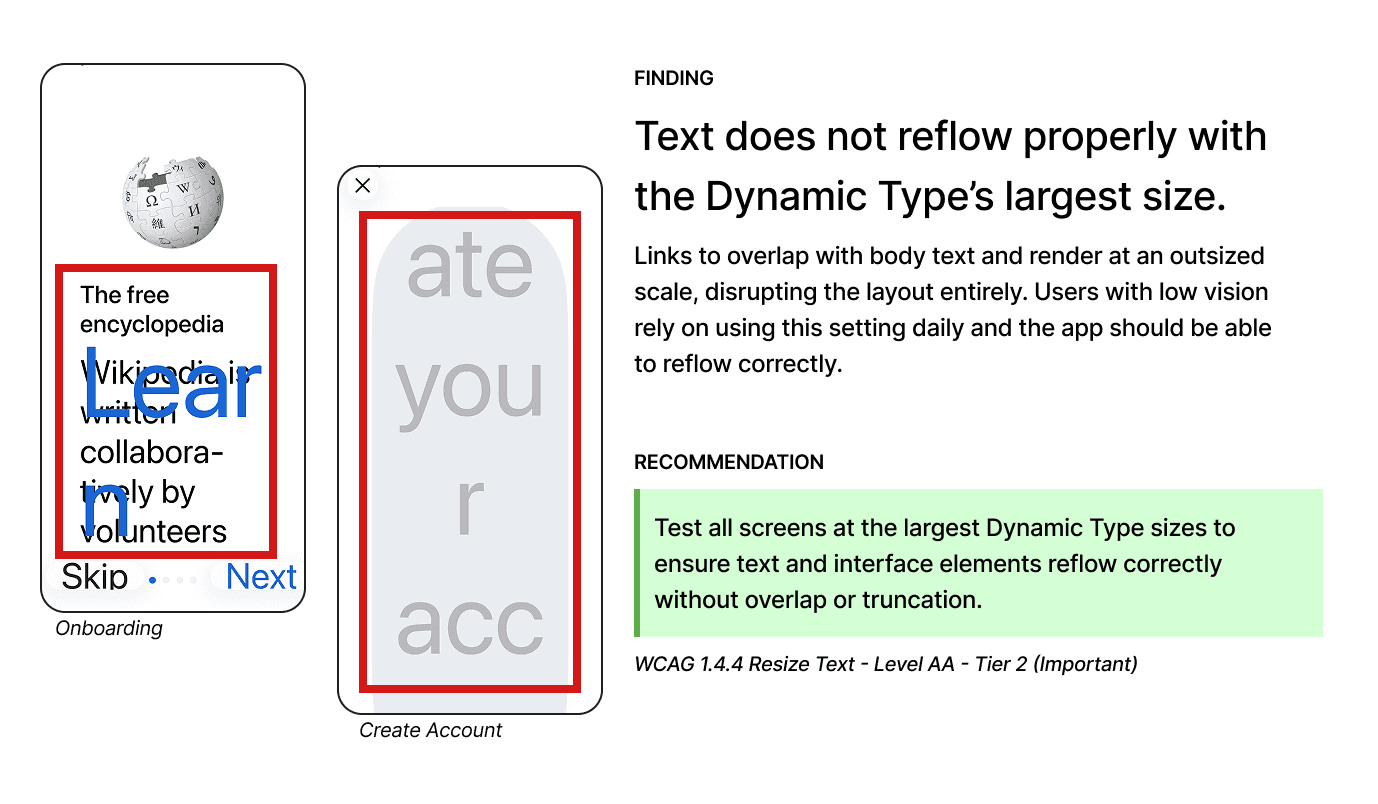
Onboarding screen at standard Dynamic Type size (left) vs. Accessibility Extra Large (right), showing links overlapping body text and rendering at an outsized scale. WCAG 1.4.4 Resize Text, Level AA, Tier 2
Impact 🎯
"I can't emphasize what a huge impact this is gonna have."
Our findings and recommendations were delivered to the Wikimedia Foundation's design and development team as a stakeholder presentation and a prioritized list of violations. The team responded with enthusiasm, sharing plans to implement the recommendations in their upcoming app update.
"This was incredible. We're a very small team and it's very hard for us to carve out the time to do these sorts of audits, so it's such a gift. We're really really thankful."
— Wikimedia Foundation Design team member
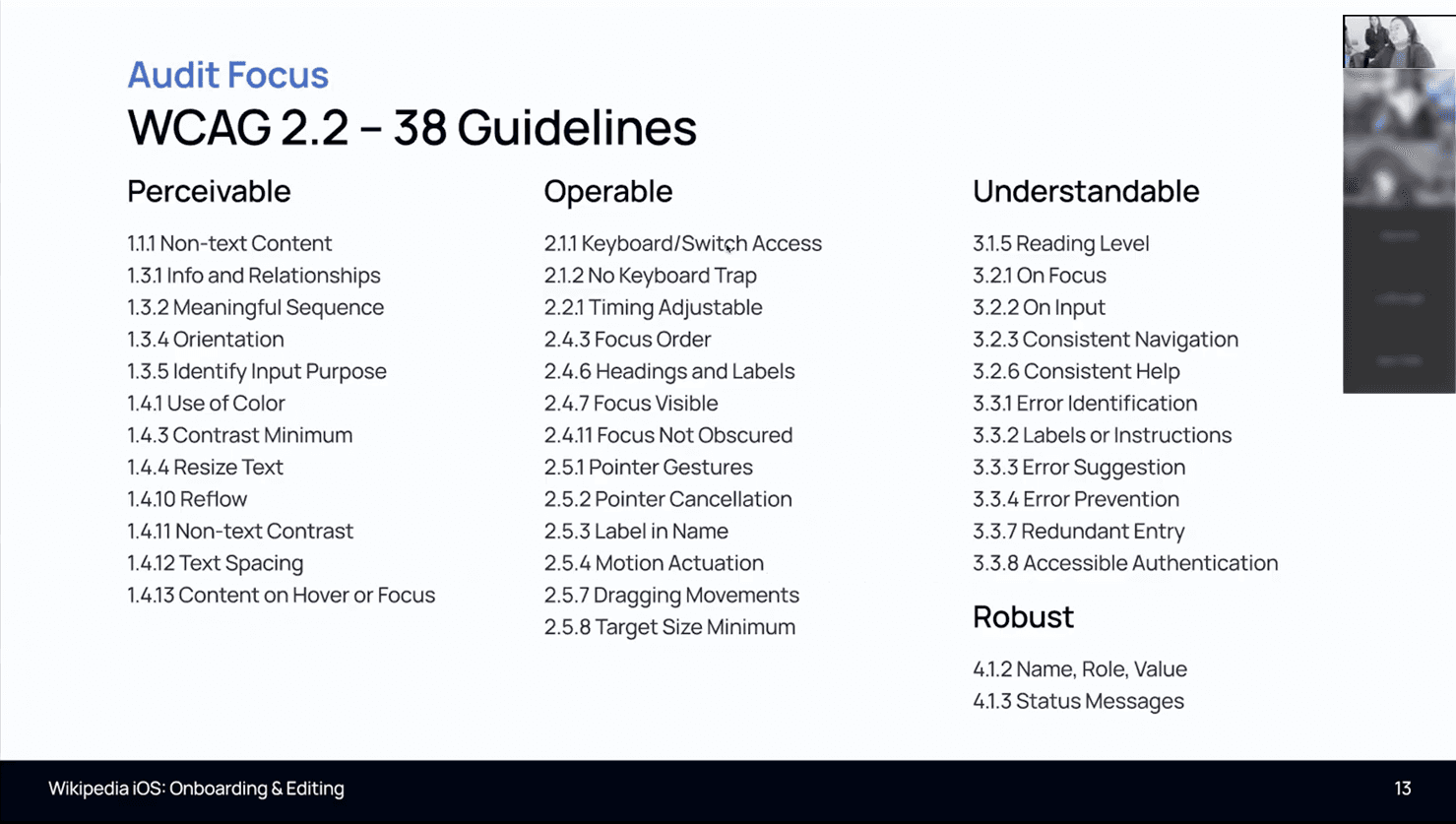
Our team presenting to the Wikimedia Foundation design and development team.
As a result of our contribution to the project, our team member are officially recognized as Wikipedia contributors!

Reflections ✨
Accessibility is easier when it's considered from the start.
Catching accessibility issues early is far less costly than trying to figure out how to make it work later. What I also discovered while doing the audit was that some barriers had nothing to do with Liquid Glass entirely. Headings that appeared visually structured were never defined in code, and the CAPTCHA alternative page, though well-intentioned, had significant issues of its own. Accessibility debt accumulates quietly, and audits like this one surface what good intentions alone can miss.
WCAG is a strong foundation, but human experience reveals much more.
It was helpful to have the WCAG criteria as a framework to evaluating the app, but the most meaningful insights came from applying them through the lens of the personas. A feature might technically pass a single guideline, but when a user is navigating with Switch Control, Dynamic Type enabled, and reduced transparency all at once, the combined experience can still break down. That complexity is why human input, whether through user testing or persona-driven audits, remains essential to have alongside standards-based evaluation.
Team Bubbles is behind this accessibility evaluation
I've discovered cool things on other projects too.